Working with Nim
The simplest way to have the BEAM machine reach out to some Nim shared objects and call some native functions, is to use (on Nim's side) the nimler library and (on Erlang's side) erlang:load_nif/2.
Note well:
{error,{reload,"NIF library already loaded (reload disallowed since OTP 20)."}}
Hot-reloading of NIF libraries has been gone for a long time (I'm on Erlang/OTP 26 now), so you'll need to cycle the node to load a changed Nim library. This also means that onUnload is useless for cleanup -- it's never called.
hello world
Given hello.nim:
import nimler

proc hello(env: ptr ErlNifEnv): ErlAtom {.xnif.} =
  debugEcho "hello from Nim!" # dodging noSideEffect
  AtomOk

exportNifs "hello", [ hello ]
And compiling that with
$ nim c --app:lib -d:release hello.nim

# or, to generate the Erlang listing below:
$ nim c --app:lib -d:nimlerGenWrapper -d:nimlerWrapperType=erlang -d:nimlerWrapperFilename=hello.erl -d:nimlerGenWrapperForce -d:release hello.nim
And hello.erl:
-module(hello).
-export([hello/0]).
-on_load(init/0).

init() -> ok = erlang:load_nif("./libhello", 0).

hello() -> exit(nif_library_not_loaded).
Then this function can be used like so:
1> c(hello).
{ok,hello}
2> hello:init().
ok
3> hello:hello().
hello from Nim!
               ok
4>
Or with a oneliner:
$ erlc hello.erl  # if necessary
$ erl -noshell -s hello hello -s init stop
hello from Nim!
hello2 world - I/O without the debugEcho hack
The xnif pragma makes for a much easier interface, but it blocks use of the dirtyIo and dirtyCpu pragmas. Here's the low-level alternative:
import nimler

using
  env: ptr ErlNifEnv
  argc: cint
  argv: ptr UncheckedArray[ErlNifTerm]

proc hello(env, argc, argv): ErlNifTerm {.nif, arity: 0, dirtyIo.} =
  echo "hello2 from Nim!"
  return env.toTerm(ErlAtom("ok"))

exportNifs "hello2", [ hello ]
A Nim terminal frontend for Erlang
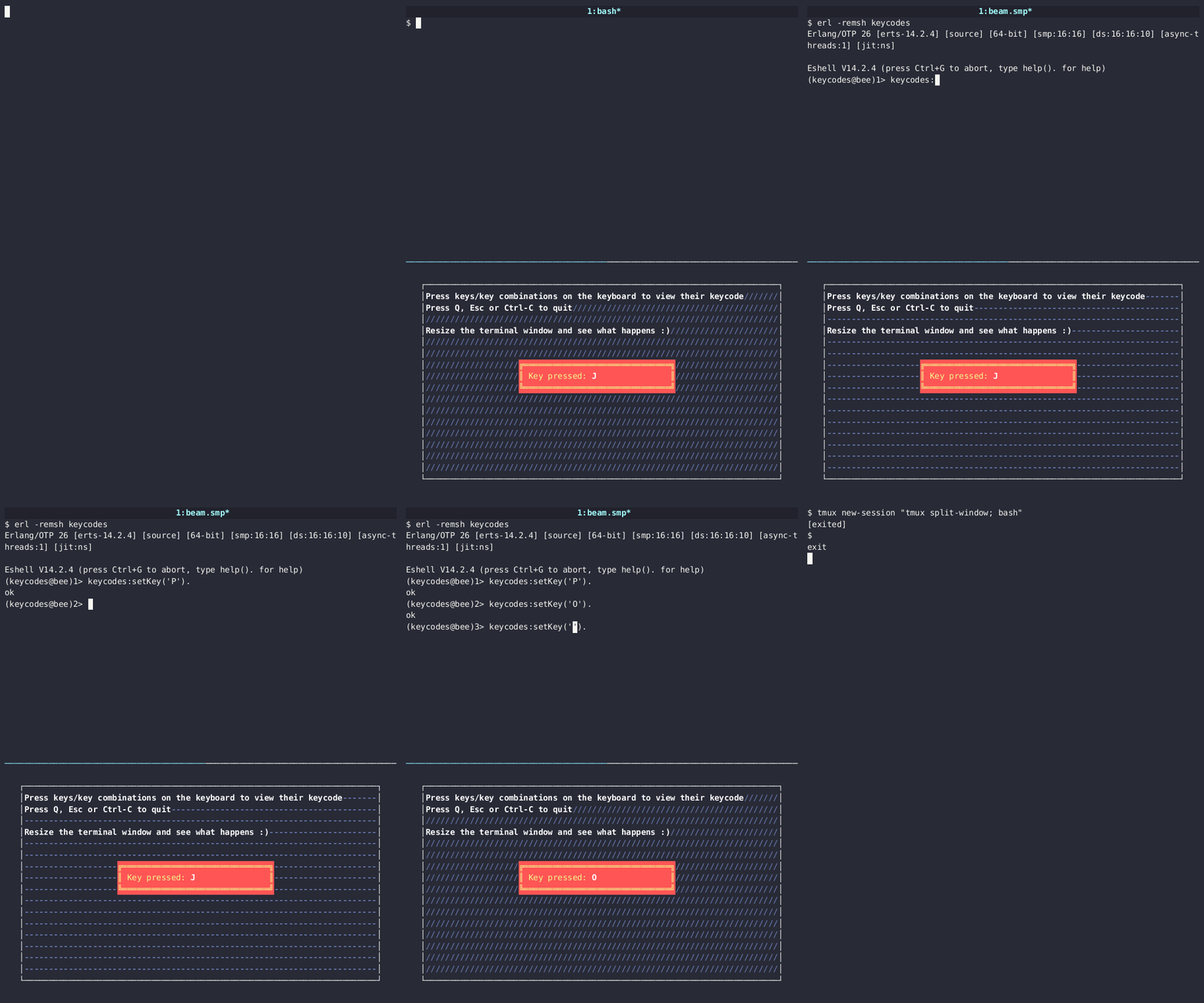
This uses a longer Nim file adapted from an illwill example.
Start the TUI example in one terminal:
$ make all tui

# alternately, with nimble:
$ nimble all
$ nimble tui
This will display some text with an animated background, and a central window showing the name of the last key that you pressed. This entire UI is running out of a Nim thread spawned by an Erlang node. You can leave this application running and connect to that Erlang node from another terminal:
$ erl -remsh keycodes
And you can control the terminal app from that shell:
Erlang/OTP 26 [erts-14.2.4] [source] [64-bit] [smp:16:16] [ds:16:16:10] [async-threads:1] [jit:ns]

Eshell V14.2.4 (press Ctrl+G to abort, type help(). for help)
(keycodes@bee)1> keycodes:setKey('H').
ok
(keycodes@bee)2> keycodes:setKey(not_an_illwill_key_name).
error
(keycodes@bee)3> keycodes:setKey(1234).
what
(keycodes@bee)4> keycodes:setKey('CtrlC').
ok
*** ERROR: Shell process terminated! (^G to start new job) ***